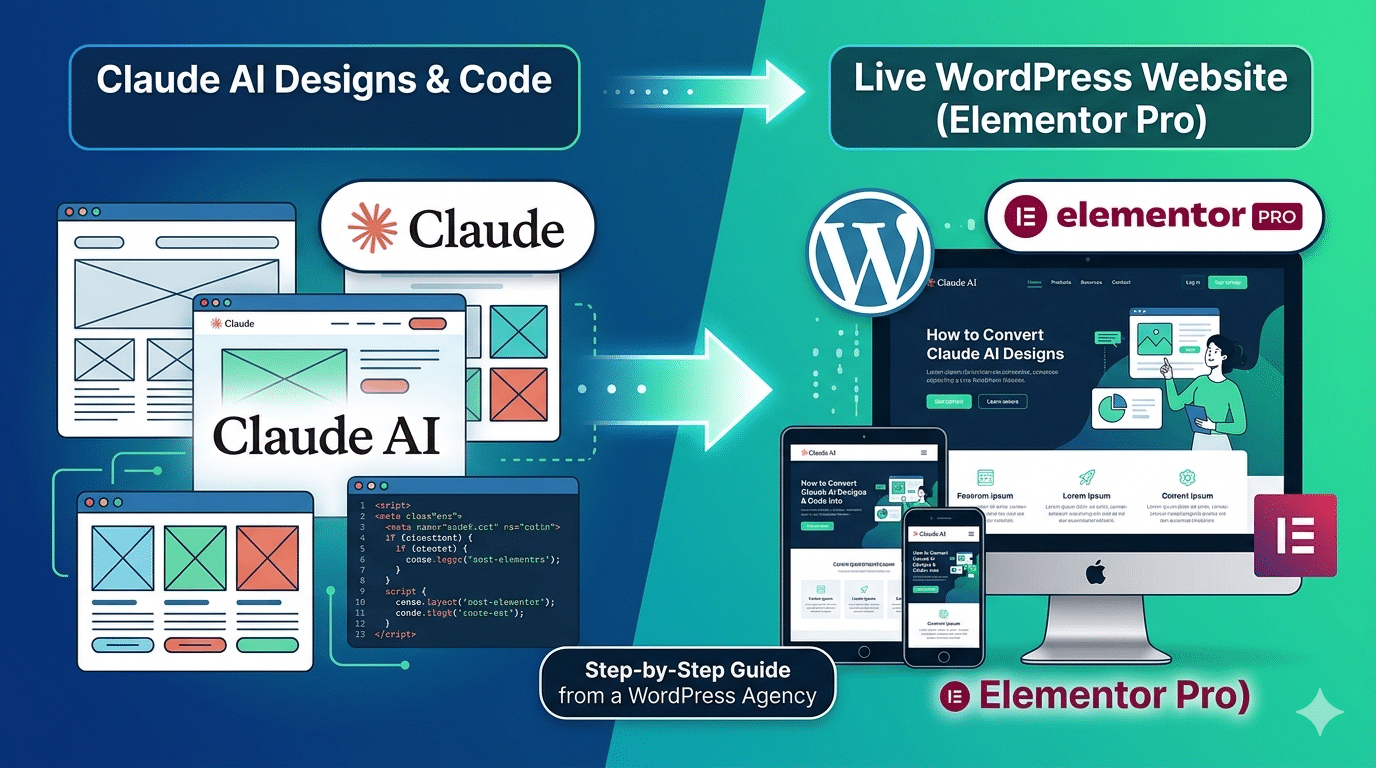
Something interesting is happening in web agencies right now. Designers and developers are using Claude AI to generate wireframes, write HTML/CSS, produce content outlines, and even draft full page layouts — then handing the output off to WordPress for the actual build. The workflow is faster than it’s ever been. But it comes with its own set of challenges.
At Hopeleaf Technologies, we’ve been integrating Claude AI into parts of our WordPress and Elementor workflow since 2024. In this guide, we’ll walk you through exactly how to take Claude AI design thinking and code output and turn it into a clean, live WordPress website — without losing quality, performance, or maintainability in the translation.
What Claude AI Can and Can't Do for a WordPress Build
Before we get into the workflow, it’s worth being precise about where Claude AI adds value and where human WordPress expertise is still essential.
| What Claude Does Well | What Still Needs a WordPress Specialist |
|---|---|
| Writing semantic HTML structure and CSS | Configuring Elementor Pro correctly |
| Generating page layout wireframes in text/code | Setting up WordPress CPTs, taxonomies, ACF |
| Drafting content for every page section | Payment gateway & plugin integration |
| Writing RankMath meta titles and descriptions | Server-side performance optimisation |
| Producing JSON-LD schema markup | Core Web Vitals tuning and GTmetrix fixes |
| Generating sitemap and URL structure plans | WooCommerce configuration and tax setup |
| Writing blog posts and SEO copy | Security hardening and Wordfence setup |
| Suggesting plugin stacks and theme options | Cross-browser and real device QA testing |
- Claude is best understood as an extremely fast, articulate junior collaborator — one who can produce a first draft of almost anything, but who needs a senior WordPress developer to review, refactor, and implement it correctly in a real production environment.
The 6-Step Workflow: Claude AI to WordPress
STEP 1 — Use Claude AI to Plan the Site Architecture
Before any design or code, Claude AI is excellent at helping you think through the site structure. Give Claude AI a clear brief about the business — what it does, who it serves, what action the site needs visitors to take — and ask it to produce a sitemap, URL structure, and page-by-page content outline.
Example prompt: ‘I am building a WordPress website for a Perth-based organic hair salon. They offer hair colouring, keratin treatments, and nanoplasty. Their target audience is women aged 25–50 who prefer chemical-free treatments. Please produce a sitemap with page names, URL slugs, and a bullet-point content outline for each page.’
Claude will return a well-structured sitemap in seconds. Review it, adjust for anything the client has specified, and use it as your project blueprint before opening Figma or WordPress.
- Sitemap and URL structure
- Content outline per page (H1, key sections, CTAs)
- Suggested navigation structure
- Internal linking recommendations
STEP 2 — Generate Wireframes and Layout Direction with Claude AI
Claude AI cannot produce visual Figma files, but it can describe page layouts in precise structural terms — which is often more useful as a wireframing starting point than a blank canvas.
Ask Claude AI to describe a page layout section by section: what’s in the hero (headline, sub-headline, CTA, background treatment), what sections follow, how many columns, what content appears in each. Use this output as your brief to a Figma designer or to start building your own wireframes.
Example prompt: ‘Describe the layout for a homepage for a WordPress web agency — section by section, from hero to footer. Include: section name, content elements, layout structure (full-width / 2-col / 3-col), and the primary CTA for each section.’
The output won’t be a mockup — but it will be a detailed, reasoned layout brief that saves 30–60 minutes of blank-page thinking.
STEP 3 — Use Claude AI to Write All Page Copy and SEO Content
This is where Claude AI delivers the most immediate time savings. Page copy — hero headlines, service descriptions, about us text, FAQ answers, CTA copy — can be drafted by Claude in minutes. The draft will be 70–80% ready; a human editor refines it for tone, brand voice, and accuracy.
For SEO content, Claude AI can produce: RankMath-ready meta titles and descriptions for every page, focus keywords and secondary keyword suggestions, FAQ sections in Q&A format for schema markup, and blog posts structured with proper H2/H3 hierarchy.
Important: always fact-check Claude’s output. Claude may produce plausible-sounding but inaccurate claims, especially about specific local information, pricing, or technical specifications. Every piece of client-specific content needs human review before it goes live.
- Homepage, about, service, contact, and career page copy
- Meta title and description for every page
- FAQ Q&A pairs ready for Elementor Accordion and FAQ schema
- Blog posts with SEO structure
- Alt text for images
- Schema markup (JSON-LD) for LocalBusiness, FAQPage, and Article types
STEP 4 — Convert Claude AI HTML/CSS Code into Elementor Sections
This is the most technically nuanced step. Claude AI can produce clean, semantic HTML and CSS for a page section. But you cannot paste raw HTML directly into Elementor and expect it to behave like a native Elementor section — it won’t be responsive, it won’t use Elementor’s Global Styles, and it won’t be editable by a non-technical client.
The correct workflow is to use Claude’s code output as a reference design, not a direct import. Here’s how:
- Ask Claude to write the HTML/CSS for a specific section (e.g., ‘Write the HTML and CSS for a 3-column service cards section with icon, title, and body text per card’).
- Open Elementor and recreate the layout natively — using the Icon Box widget for the cards, matching the spacing, typography, and colour values from Claude’s CSS.
- Apply Elementor Global Colours and Global Fonts rather than hardcoding hex values — this ensures consistency and makes future brand updates a one-click change.
- Use Claude’s CSS for reference when writing custom CSS in Elementor’s Advanced > Custom CSS field — adapting it for the Elementor wrapper structure rather than pasting it verbatim.
STEP 5 — Use Claude AI to Configure SEO — Then Implement in RankMath
Claude AI can produce the entire SEO configuration for a WordPress site in structured form: page-by-page meta titles, descriptions, focus keywords, schema types, and breadcrumb structures. This is one of the most practical use cases for Claude AI in a WordPress build workflow.
The output needs to be implemented by a human in RankMath Pro (or Yoast SEO). Claude generates the strategy and the copy — the WordPress developer implements it correctly in the plugin.
- Ask Claude: ‘Produce RankMath SEO settings for a 10-page WordPress website for [business type]. For each page: page name, SEO title (under 60 chars), meta description (under 160 chars), focus keyword, and schema type.’
- Claude returns a structured table. The developer opens RankMath on each page and fills in the fields exactly.
- For schema: Claude can write JSON-LD for LocalBusiness, FAQPage, and Article types. Paste each into RankMath’s Custom Schema or an Elementor HTML widget in the page head.
- Connect Google Search Console and Google Analytics 4 in RankMath settings — Claude cannot do this, but it can write the step-by-step instructions for whoever is setting it up.
STEP 6 — QA, Performance Testing, and Launch — Human-Only Steps
No current AI tool — including Claude AI — can test a live website on real devices, measure Core Web Vitals accurately, identify plugin conflicts, or configure server-side caching. These final steps require human WordPress expertise and remain firmly in the specialist’s territory.
Before launch, every site built with Claude-assisted content and code must go through the full QA checklist:
- Cross-browser testing: Chrome, Safari, Firefox, Edge — on Mac and Windows
- Real device testing: iPhone (Safari), Android (Chrome), tablet
- GTmetrix and Google PageSpeed Insights — target Grade A and all Core Web Vitals passing
- Form submission tests on all contact and lead forms
- WooCommerce checkout flow test with a real test transaction (if applicable)
- RankMath SEO audit — all pages green, no missing meta
- Google Search Console submission of XML sitemap
- Wordfence security scan
- UpdraftPlus backup confirmed and stored offsite
Prompting Claude AI Effectively for WordPress Projects
The quality of Claude AI output is directly proportional to the quality of your prompt. Vague prompts produce vague output. Here are the prompt patterns that consistently produce the most useful results for WordPress builds:
For site architecture
"I am building a WordPress website for [business type] in [location]. Their services are [list]. Their target audience is [describe]. Please produce: (1) a full sitemap with page names and URL slugs, (2) a navigation menu structure, (3) a content brief for the homepage with section-by-section outline."
For Elementor section copy
"Write the content for the Services section of a WordPress website homepage. The agency specialises in WordPress and Elementor development. Show 6 service cards. Each card needs: icon suggestion (from Feather Icons), card title (max 4 words), and a 2-sentence description (max 35 words each). Tone: professional, confident, no jargon."
For SEO meta tags
"Generate RankMath SEO settings for the following WordPress pages. For each page, provide: SEO title (under 60 characters), meta description (under 160 characters), focus keyword, and 3 secondary keywords. Pages: [list each page and its purpose]."
For FAQ content with schema
"Write 7 FAQs for the [page name] page of a [business type] website. Each FAQ should: be a genuine question a potential client would ask, have a specific answer of 2–4 sentences, and naturally include the keyword [target keyword]. Format the output as FAQPage JSON-LD schema markup."
Common Mistakes When Using Claude AI for WordPress Builds
Pasting Claude AI HTML directly into Elementor sections
Claude AI HTML is structured for a blank HTML document, not for Elementor’s nested container system. Pasting it directly produces unstyled output that ignores your Global Colours, Global Fonts, and responsive breakpoints. Always rebuild the section natively in Elementor, using Claude’s code as a layout and styling reference.
Publishing Claude AI copy without review
Using Claude to choose plugins without testing compatibility
Skipping the Figma step because Claude produced a layout description
Treating Claude's SEO output as final without character count checks
The Hopeleaf Workflow: How We Use Claude in Our Agency
| Project Stage | Claude’s Role | Human Expert’s Role |
|---|---|---|
| Discovery & Brief | Generates initial sitemap draft | Refines with client, adds context |
| Content Strategy | Produces page-by-page copy outlines | Reviews, edits to client voice |
| SEO Planning | Writes meta tags, keyword strategy | Implements in RankMath, verifies |
| Wireframing | Describes layout section by section | Designs in Figma, client approval |
| Elementor Build | Provides HTML/CSS reference code | Rebuilds natively in Elementor Pro |
| Blog & Content Writing | Drafts full articles and FAQs | Edits, fact-checks, adds expertise |
| Schema Markup | Writes JSON-LD for all schema types | Implements via RankMath or HTML widget |
| QA & Launch | Not used | Full QA checklist, GTmetrix, launch |
The result is a workflow that is significantly faster than building without AI assistance — while producing websites that meet the same quality, performance, and maintainability standards we’ve held for nine years.
The Hopeleaf Workflow: How We Use Claude in Our Agency
If you’re a business owner looking to hire a WordPress agency in 2026, the most capable agencies are now using Claude and similar AI tools to work faster on the early-stage, repeatable parts of a project — content outlines, meta tags, copy drafts, schema markup — while applying specialist human expertise to the things that actually require it: Elementor builds, plugin configuration, performance optimisation, and QA.
A good agency using AI well will deliver your project faster without cutting corners on quality. A less experienced agency using AI poorly will paste Claude’s output directly into WordPress and hand you a site full of mismatched copy, generic layouts, and unoptimised performance.
The question to ask any agency you’re considering: ‘How do you use AI tools in your workflow?’ The honest, confident answer will tell you everything you need to know about their technical maturity.
- AI accelerates the workflow. WordPress and Elementor expertise determines the outcome. You need both.
Summary: Claude + WordPress — The Right Way
- Use Claude for site architecture, content outlines, and copy drafts
- Use Claude to write SEO meta tags, FAQs, and schema markup
- Use Claude’s HTML/CSS as reference code — rebuild natively in Elementor
- Always review and edit Claude’s copy before it goes live
- Never skip Figma design just because Claude described a layout
- Use Claude for blog posts, then fact-check and edit before publishing
- Leave plugin configuration, performance optimisation, and QA to your WordPress specialist
We Build WordPress Websites — With or Without AI Assistance
Hopeleaf Technologies is a WordPress and Elementor specialist agency based in Surat, India. Whether your project starts with a Claude-generated outline or a blank brief, we deliver the same result: a fast, SEO-ready, pixel-perfect WordPress website built in Elementor Pro.