WordPress has over 60,000 plugins in its official directory. Most of them you don’t need. Some of them will slow your site down. A handful of them are genuinely essential — tools that handle critical functions so well that every professional WordPress site should have them.
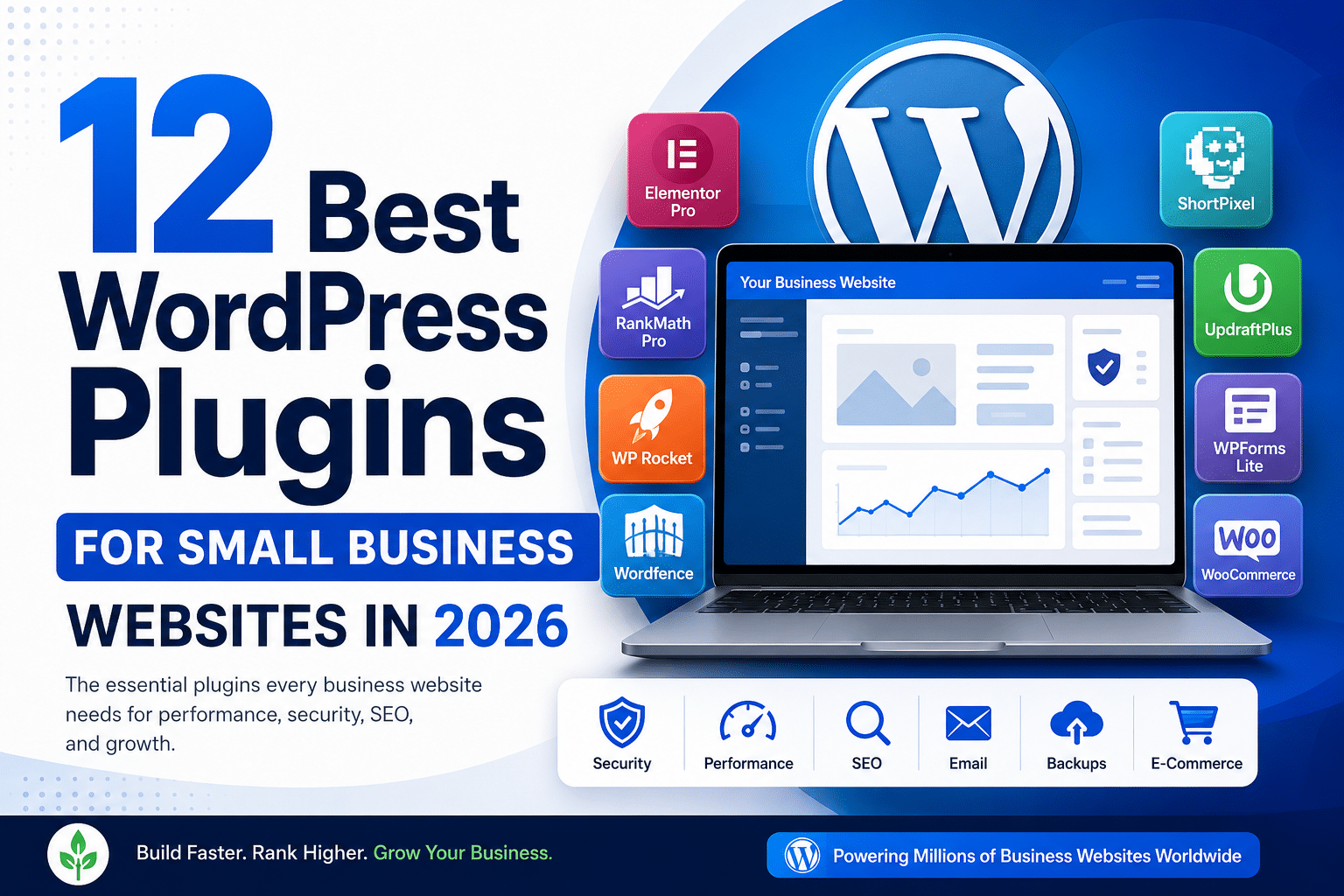
At Hopeleaf Technologies, we build WordPress sites for businesses across India, Australia, the USA, Belgium, and the UK. After nine years and 150+ projects, our plugin stack has narrowed to a tight, battle-tested set. These are the 12 plugins we install on virtually every small business WordPress site in 2026.
| # | Plugin | Category | Cost | Why We Use It |
|---|---|---|---|---|
| 01 | Elementor Pro | Page Builder | $59/yr | The entire website design and layout tool. Replaces the theme design system. |
| 02 | RankMath Pro | SEO | $6.99/mo | SEO meta, schema, Search Console integration, local SEO. All in one plugin. |
| 03 | WP Rocket | Performance | $59/yr | Page caching, CSS/JS minification, lazy loading, JS deferral, CDN integration. |
| 04 | ShortPixel | Images | $4.99/mo | Automatic WebP conversion and image compression on upload. |
| 05 | Wordfence | Security | Free/Premium | Firewall, malware scanner, login protection. The most trusted WP security plugin. |
| 06 | UpdraftPlus | Backups | Free/Premium | Daily backups to Google Drive or Dropbox. The most reliable WP backup solution. |
| 07 | WPForms Lite | Forms | Free | Drag-and-drop contact forms with spam protection. Integrates with Elementor. |
| 08 | WooCommerce | E-Commerce | Free | The world’s most-used WordPress e-commerce plugin. Essential for online stores. |
| 09 | WPS Hide Login | Security | Free | Changes the WordPress login URL. Eliminates the vast majority of brute-force attacks. |
| 10 | WP Mail SMTP | Free | Routes WordPress emails through SMTP so contact form emails actually get delivered. | |
| 11 | Classic Widgets | Compatibility | Free | Restores the classic widgets screen if you use Elementor — prevents Gutenberg conflicts. |
| 12 | Redirection | Maintenance | Free | Manages 301 redirects when you change URLs. Prevents broken links and 404 errors. |
The Essential Four — Every WordPress Site Needs These
1. Elementor Pro ($59/year)
If you’re building a professional WordPress website in 2026, Elementor Pro is the page builder. It powers over 16 million websites globally and gives you a visual drag-and-drop interface to design every page — headers, footers, single post templates, archive pages, and WooCommerce product pages — without touching code. Every site Hopeleaf builds uses Elementor Pro.
2. RankMath Pro ($6.99/month)
RankMath Pro is the most complete SEO plugin available for WordPress in 2026. The free version alone gives you more than Yoast’s paid tier. Pro adds multi-keyword tracking, advanced schema builder, Google Search Console integration, local SEO, and AI content analysis. Set it up correctly at launch and your site has a solid SEO foundation from day one.
3. WP Rocket ($59/year)
WP Rocket is the most effective WordPress caching and performance plugin in 2026. It handles page caching, browser caching, CSS/JS minification, image lazy loading, JavaScript deferral, and CDN integration — all from a single, well-designed dashboard. Compatible with Elementor Pro and recommended by WordPress hosting providers including Kinsta and WP Engine.
4. Wordfence Security (Free / Premium)
Wordfence is the most widely trusted WordPress security plugin. The free version includes a Web Application Firewall (WAF), malware scanner, and login attempt limiter. Premium adds real-time threat intelligence and country blocking. Install it immediately on every WordPress site — before you install anything else.
Performance and Images
5. ShortPixel ($4.99/month)
ShortPixel automatically compresses and converts every image you upload to WordPress into WebP format — the modern image format that delivers the same visual quality at 25–35% smaller file size. This single plugin often reduces total page weight by 40–60% on image-heavy sites, which directly improves LCP Core Web Vitals scores.
Security and Maintenance
6. UpdraftPlus (Free / Premium)
UpdraftPlus backs up your entire WordPress site — files and database — to Google Drive, Dropbox, or Amazon S3 on a schedule you define. The free version handles daily backups and 30-day retention perfectly. Premium adds multisite support and more cloud destinations. Configure it immediately after launch. A backup stored on the same server as your site is not a real backup.
7. WPS Hide Login (Free)
WordPress’s default login page at /wp-admin and /wp-login.php is targeted by thousands of automated brute-force scripts every day. WPS Hide Login changes your login URL to anything you choose — eliminating these automated attacks entirely. A five-minute setup with significant security impact.
8. WP Mail SMTP (Free)
WordPress sends contact form submissions and admin notifications via PHP mail() — which major email providers like Gmail, Outlook, and Yahoo increasingly mark as spam or reject entirely. WP Mail SMTP routes all WordPress emails through a proper SMTP server (Gmail, Sendinblue, Mailgun) so they actually get delivered. Essential for any site with a contact form.
Functionality
9. WPForms Lite (Free)
WPForms is the cleanest, most Elementor-compatible contact form plugin available. The free Lite version handles standard contact forms, enquiry forms, and newsletter signups with built-in spam protection. Add a reCAPTCHA v3 key and virtually all form spam disappears. Integrates as a native Elementor widget.
10. WooCommerce (Free)
If your site sells products or services online, WooCommerce is the standard. It powers 23% of the top 1 million e-commerce sites globally. Combined with Elementor Pro’s WooCommerce Builder, you can design every product page, category page, cart, and checkout screen to match your brand — not the default WooCommerce styling.
11. Redirection (Free)
When you change a page’s URL — rename a service page, restructure your blog categories, or fix a slug typo — Redirection creates 301 redirects automatically, preserving your SEO link equity and preventing 404 errors. Install it before you change any URLs on a live site.
Plugins to Avoid in 2026
- Slider Revolution and Royal Slider — both inject heavy CSS and JavaScript on every page, significantly hurting INP and LCP scores. Use Elementor's built-in Carousel and Slides widgets instead.
- Multiple SEO plugins simultaneously (e.g., Yoast + RankMath + AIOSEO) — they conflict with each other and output duplicate meta tags. Use one, configure it correctly.
- Any plugin not updated in 12+ months — outdated plugins are the primary cause of WordPress security vulnerabilities. Check the 'Last Updated' date in the plugin directory before installing.
We Build Every WordPress Site with a Lean, Tested Plugin Stack
Hopeleaf Technologies installs and configures only the plugins your site genuinely needs — no bloat, no conflicts, no unnecessary subscriptions. Our standard plugin stack is battle-tested across 150+ projects.
- Talk to us about your WordPress build → hopeleaftechnologies.com/contact-us/
We Build Every Site in Elementor Pro
Hopeleaf Technologies is a specialist Elementor agency — we design in Figma and build in Elementor Pro on WordPress. Fast, editable, and built to rank on Google.