The cloud hosting vs shared hosting question is one of the most Googled infrastructure decisions in 2026. And the confusion is understandable: every web host now calls their product ‘cloud’, the terminology overlaps, and the marketing is full of technical jargon that obscures the actual differences.
This definitive guide cuts through all of it. By the end, you’ll know exactly what the difference is and which option is right for your specific situation.
The One-Sentence Difference
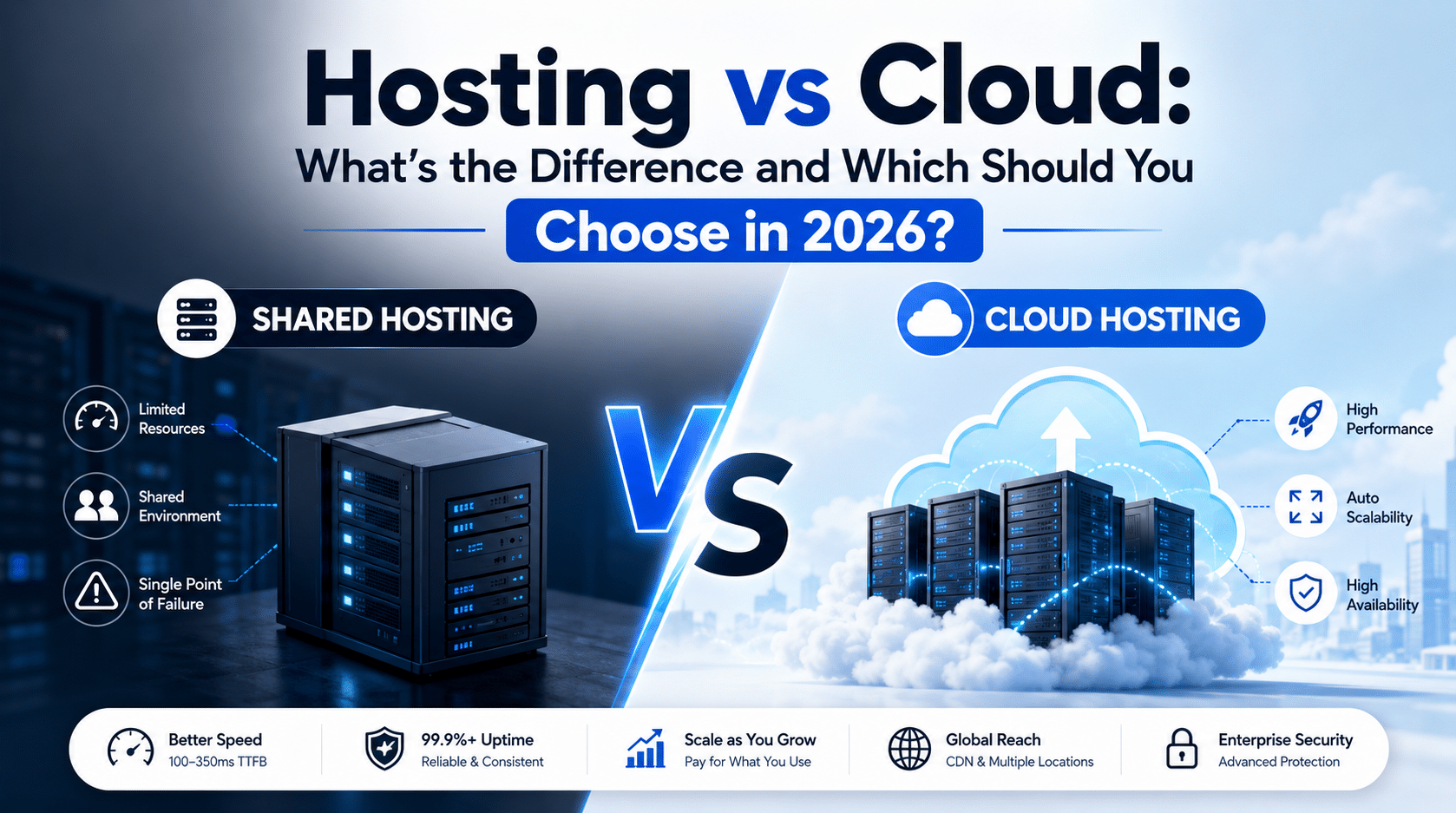
Understanding cloud hosting vs shared hosting starts with one simple architectural fact: traditional shared hosting puts your website on one physical server. Cloud hosting puts your website on a network of servers that work together.
Everything else — the performance differences, the cost differences, the scalability — flows from that single architectural distinction.
Why That Single Difference Matters
Single Server = Single Point of Failure
If your shared hosting server has a hardware problem, needs maintenance, or gets overloaded — your website goes down or slows significantly. There is no fallback. You wait for the hosting company to resolve the issue on that one server. When a neighbouring site gets a traffic spike, your site slows down. This is the “noisy neighbour” problem, and it’s a fundamental architectural flaw, not a configuration issue that can be patched.
Network of Servers = Built-In Redundancy
If any server in a cloud network fails, traffic automatically shifts to other servers. Your site stays online. Visitors notice nothing. This is why cloud hosting providers can guarantee 99.9% uptime when shared hosting typically achieves 99%–99.5% — which sounds similar but translates to 8.76 hours vs 43.8 hours of potential downtime per year.
The Complete Comparison: Cloud Hosting vs Shared Hosting
| Dimension | Shared Hosting | Cloud Hosting |
|---|---|---|
| Structure | Single server | Network of servers |
| Failure handling | Site goes down if the server fails | Traffic reroutes automatically to available servers |
| Performance | Affected by overall server load | Consistent with isolated resources |
| Traffic spikes | Server overloads and performance drops | Auto-scales to absorb traffic spikes |
| Uptime | ~99.0%–99.5% | 99.9%–99.99% |
| WordPress TTFB | 800ms–1,500ms | 100–350ms |
| Price | ₹149–₹1,500/month | ₹850–₹10,000/month |
| Technical effort | Very low — managed for you | Low to medium, depending on the provider |
The 2026 Reality — Why Cloud Hosting Is Now the Sensible Default
The web hosting industry data for 2026 tells a clear story on the cloud hosting vs shared hosting debate:
- The global cloud hosting market is growing rapidly, with AWS, Microsoft Azure, and Google Cloud together controlling almost 80% of the cloud infrastructure market and powering over 182 million websites. Check Google PageSpeed Insights to see how your current hosting affects your site speed.
- Approximately 92% of enterprises leverage multi-cloud strategies for flexibility, resilience, and cost optimisation.
- Managed WordPress cloud hosting now starts at ₹850/month — the cost barrier has dropped to near-zero.
- Website speed is the most important factor when customers choose a hosting provider, cited by 55% of hosting providers. Google confirms this through its Core Web Vitals framework, which directly impacts your search rankings.
In 2020, the cloud hosting vs shared hosting decision was a genuinely difficult cost-benefit question. In 2026, for any business website that matters to your revenue, the answer has a clear default.
Which Should You Choose? The Simple Guide
When choosing between cloud hosting vs shared hosting, your answer depends on one question: does your website generate revenue or represent your professional brand?
Which Should You Choose? The Simple Guide
- You have a personal blog or hobby site under 5,000 visitors/month
- Your site has no revenue-generating purpose
- You’re on the tightest possible budget and performance is not critical
Choose Cloud Hosting If:
- Your website generates leads, enquiries, or sales
- You run any form of paid advertising to your site
- Your site has or is expected to grow beyond 10,000 monthly visitors
- You use WooCommerce for any form of e-commerce
- Your site represents your professional brand to potential clients
- You have international visitors who benefit from CDN delivery
- Not sure which category your site falls into? Ask yourself: if my site were down for 4 hours right now, would it cost me money or damage client relationships? If yes — cloud hosting is the right choice.
Recommended Cloud Hosting for WordPress in 2026
- Cloudways (₹850/month) — best value, developer-friendly, Mumbai server option
- SiteGround GoGeek (₹999/month) — best for non-technical site owners wanting managed cloud
- Kinsta (₹2,500/month) — best performance, Google Cloud infrastructure, for high-traffic sites
- WP Engine (₹2,200/month) — best for agencies and enterprise WordPress
We Build WordPress Sites on the Right Cloud Infrastructure Every Time
Still weighing cloud hosting vs shared hosting for your next WordPress project? Hopeleaf Technologies selects and configures hosting as part of every new project. We don’t build sites on shared hosting — because we’ve seen what it costs clients in slow load times and downtime. Every build starts with the right foundation.
- Start your WordPress project → hopeleaftechnologies.com/contact-us/
We Build Every Site in Elementor Pro
Hopeleaf Technologies is a specialist Elementor agency — we design in Figma and build in Elementor Pro on WordPress. Fast, editable, and built to rank on Google.