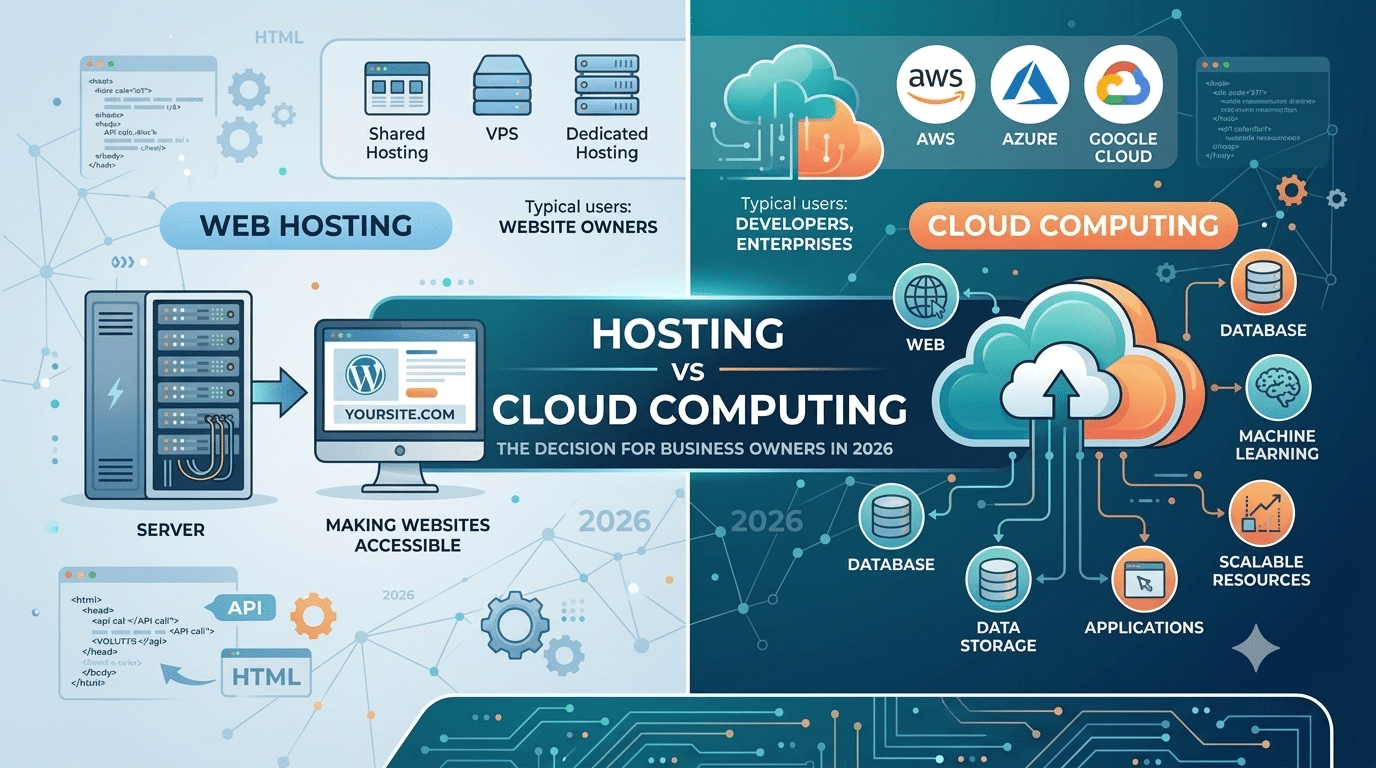
Hosting vs cloud computing — two terms you encounter constantly when making infrastructure decisions for your business. They are related but not the same thing, and confusing them leads to either overpaying for complexity you do not need or underinvesting in infrastructure your business requires.
This guide explains both in plain language — what each term means, how they overlap, and how to think about the hosting vs cloud computing decision as a business owner.
Web Hosting — The Simple Version
Web hosting is a service that makes your website accessible on the internet. You rent space on a server, upload your WordPress files, and people can visit your site from any browser worldwide. The hosting provider owns and maintains the physical servers; you manage your website content.
Web hosting has existed since the 1990s. Shared hosting, VPS, and dedicated hosting are all traditional forms of web hosting — each with its own setup, cost, and performance profile. Modern cloud hosting is also a form of web hosting — but built on a fundamentally different infrastructure model. Understanding this distinction is the starting point of the hosting vs cloud computing conversation.
Cloud Computing — The Broader Concept
Cloud computing is a broader concept that includes web hosting as one of its many applications. The National Institute of Standards and Technology (NIST) defines cloud computing as a model for enabling on-demand network access to a shared pool of configurable computing resources that can be rapidly provisioned with minimal management effort.
In practical terms, cloud computing covers everything from hosting a website to running machine learning models, storing petabytes of data, processing financial transactions, and delivering software to millions of users simultaneously. AWS, Microsoft Azure, and Google Cloud are the dominant cloud computing platforms — and web hosting is just one of hundreds of services they offer.
When people say hosting vs cloud computing, they are often comparing one small slice of cloud computing with the full platform it runs on. According to Google Cloud’s official documentation, cloud computing is delivered across three models — IaaS, PaaS, and SaaS — each serving different business needs at different levels of complexity.
The Relationship Between Hosting vs Cloud Computing
| Factor | Web Hosting | Cloud Computing |
|---|---|---|
| Scope | Making websites accessible on the internet | Full range of computing services |
| Typical users | Website owners and businesses | Developers, enterprises, and businesses |
| Examples | Shared hosting, VPS, and managed WordPress hosting | AWS, Azure, and Google Cloud |
| Pricing | Fixed monthly plans | Pay-per-use with highly variable pricing |
| Complexity | Low — managed for you | Variable — from simple to highly complex |
What the Hosting vs Cloud Computing Decision Means for Your Business
If You Need a Website
In the hosting vs cloud computing comparison, website owners need web hosting — specifically. You do not need to think about cloud computing in its full scope. Your choice is simply: what type of web hosting is right for your site? For a business WordPress site in 2026, managed cloud web hosting — Cloudways, Kinsta, or SiteGround GoGeek — is the recommended category.
If You Are Building a Software Application
If your business needs a custom web-based application beyond what WordPress and WooCommerce provides, you may need to engage cloud computing services directly. AWS, DigitalOcean, or Google Cloud give you the infrastructure building blocks — virtual servers, databases, storage, queues — to build custom software. This side of the hosting vs cloud computing spectrum requires technical expertise and is significantly more involved than standard web hosting.
If You Are Migrating Business Systems
Moving to the cloud in a business context often means replacing desktop software with SaaS alternatives — Google Workspace instead of Office, HubSpot instead of a local CRM, Zoho Books instead of desktop accounting software. This is also cloud computing — the SaaS delivery model — but it is a separate decision from the hosting vs cloud computing question for your website.
The Honest Summary — Hosting vs Cloud Computing for Business Owners
For most business owners asking about hosting vs cloud computing:
- For your business website — choose managed cloud web hosting: Cloudways, Kinsta, or SiteGround GoGeek
- For your email and productivity — use cloud SaaS: Google Workspace or Microsoft 365
- For your CRM — use cloud SaaS: HubSpot, Zoho, or Salesforce
- For your backups — use cloud storage: Google Drive or Dropbox
- For building custom software — engage an agency or cloud developer: AWS, Azure, or GCP
We Navigate the Tech Stack Decisions for Your WordPress Business Site
Hopeleaf Technologies advises on hosting vs cloud computing, SaaS tools, and infrastructure as part of every project. We make the right recommendations based on your actual business needs — not sales incentives.
- Get infrastructure advice → hopeleaftechnologies.com/contact-us/
We Build Every Site in Elementor Pro
Hopeleaf Technologies is a specialist Elementor agency — we design in Figma and build in Elementor Pro on WordPress. Fast, editable, and built to rank on Google.