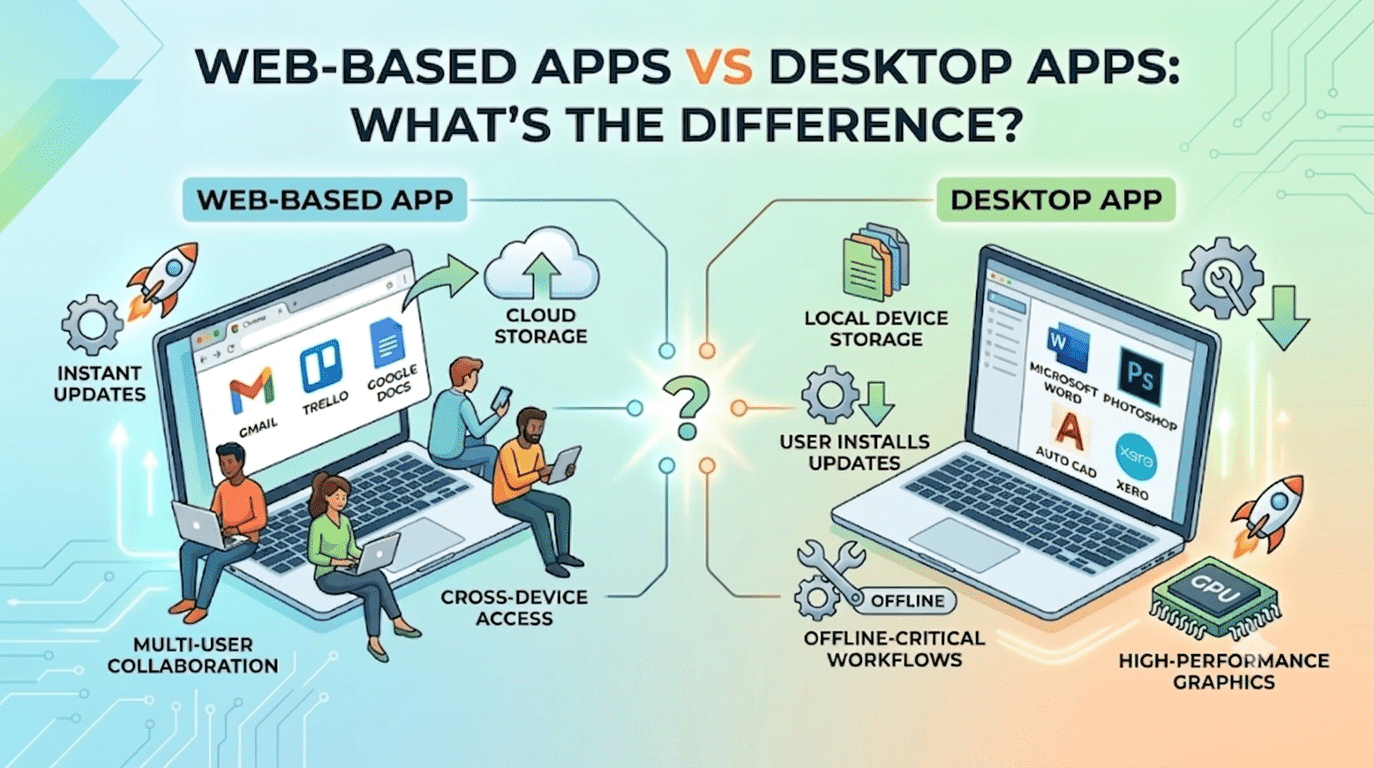
When a client asks us to build ‘an app‘, the first question we always ask is: should it be web-based or a native desktop application? The distinction affects development cost, maintenance, distribution, and user experience significantly. Getting this decision wrong early means rebuilding later — which is expensive and disruptive.
For most small and medium business tools in 2026, a web-based solution is the right answer. Here’s why — and when desktop software still makes more sense.
The Core Difference
| Factor | Web-Based App | Desktop App |
|---|---|---|
| How it runs | In a browser (Chrome, Safari, etc.) | Installed on the user’s device |
| Installation | None — access via URL | Downloaded and installed |
| Updates | Automatic — updated on the server | User must download updates |
| Offline access | Limited — requires internet | Full offline functionality |
| Multi-platform | Works on any device with a browser | Separate versions per OS |
| Development cost | One codebase for all platforms | Separate code per platform |
| Data storage | Server-side cloud storage | Local device storage |
| Examples | Gmail, Trello, Canva, Google Docs | Microsoft Word, Photoshop, Xero desktop |
When Web-Based Apps Win
Multi-User Collaboration
Cross-Device Access
Instant Updates
Web-based apps update instantly on the server — every user gets the new version immediately, with no action required on their part. Desktop apps rely on users choosing to download and install updates, leading to version fragmentation and compatibility problems.
When Desktop Apps Still Win
Offline-Critical Workflows
High-Performance Graphics and Processing
Video editing (Premiere Pro), 3D modelling (Blender), or CAD software (AutoCAD) require direct access to GPU hardware that browsers cannot fully utilise. Professional creative and engineering tools remain desktop applications for performance reasons.
WordPress as a Web-Based App Platform
WordPress is one of the most powerful platforms for building web-based business applications in 2026. With custom post types, user role management, REST API, WooCommerce, and thousands of plugins, WordPress powers web-based tools across every industry — from client portals and booking systems to e-learning platforms and real estate directories.
For SMEs needing a custom web-based tool — a client portal, a booking system, a product configurator — WordPress typically delivers 80% of the required functionality at 20% of the cost of custom application development.
We Build Web-Based Applications on WordPress
Need a client portal, booking system, directory site, or custom web-based tool? Hopeleaf Technologies builds on WordPress — fast, cost-effective, and fully browser-based. We handle the architecture, development, and ongoing maintenance so your team gets a reliable solution they can actually use.
- Discuss your project → hopeleaftechnologies.com/contact-us/
We Build Every Site in Elementor Pro
Hopeleaf Technologies is a specialist Elementor agency — we design in Figma and build in Elementor Pro on WordPress. Fast, editable, and built to rank on Google.