“Headless” is one of the most-hyped terms in web development, and if you’ve researched a website project recently, someone has probably told you it’s the future. Sometimes it is. For most small and mid-sized businesses, though, headless WordPress solves problems you don’t have — at a price you’ll notice.
Here’s a plain-English explanation of what headless means, its genuine advantages, and an honest framework for deciding whether it’s right for you.
What Is Headless WordPress?
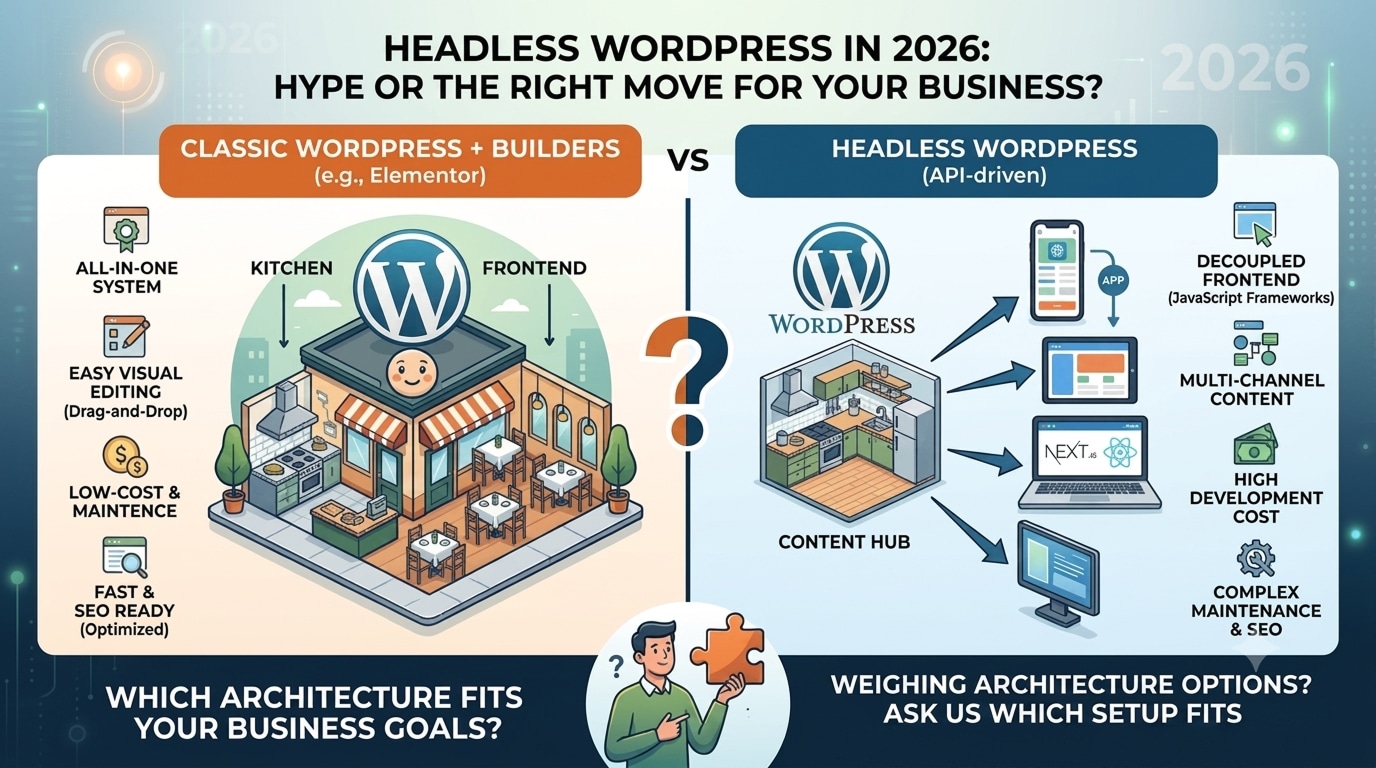
A traditional WordPress site is one system: WordPress stores your content and renders the pages visitors see (using a theme or a builder like Elementor).
A headless setup splits this in two. WordPress remains the back end where you write and manage content, but the “head” — the visitor-facing website — is a separate application (typically built in a JavaScript framework like Next.js) that pulls content from WordPress through an API, most commonly the WordPress REST API.
Think of it as: classic WordPress is a restaurant with its own dining room; headless WordPress is a kitchen that delivers to any dining room you build — a website, a mobile app, a kiosk, all fed from one place.
The Genuine Advantages of Going Headless
- Multi-channel content. One content hub feeding a website, native mobile apps, digital displays, and partner platforms simultaneously. This is headless’s strongest legitimate use case.
- Potential performance. Pre-rendered front ends can be extremely fast — though a well-optimised classic WordPress site also passes Core Web Vitals, so the gap is smaller than the marketing suggests.
- Front-end freedom. Developers can build interactive, app-like experiences beyond what themes offer.
- Security surface. With WordPress hidden away from public traffic, some common attack routes disappear.
The Costs Nobody Mentions in the Sales Pitch
- 2–4× the build cost. You’re building two systems instead of one and need JavaScript specialists alongside WordPress developers. A ₹1,50,000 classic project becomes a ₹4,00,000–₹8,00,000 headless one.
- You lose the WordPress conveniences. Live preview, most plugins, Elementor’s visual editing, instant publishing of layout changes — much of what makes WordPress pleasant either breaks or must be rebuilt by hand.
- Two systems to host and maintain. Every update, security patch, and bug now spans a WordPress install and a JavaScript application.
- SEO isn’t automatic. Classic WordPress ships SEO-friendly HTML out of the box; headless front ends must be carefully engineered for it.
- Small changes need developers. Want to reorder a page section? On Elementor, you drag it. On headless, you file a ticket.
Who Should (and Shouldn't) Go Headless
Headless makes sense when you:
- Publish the same content across a website and mobile apps or other channels
- Run a large content operation with heavy traffic and a dedicated dev team
- Need app-like interactivity a conventional site can’t deliver
Classic WordPress + Elementor is the smarter choice when you:
- Run a business website, e-commerce store, or content site serving one channel — the web
- Want your team to edit pages without developers
- Care about budget efficiency and maintenance simplicity
- Need excellent speed and SEO (achievable, and routinely achieved, without going headless)
A Middle Path Worth Knowing
Frequently Asked Questions
Is headless WordPress faster than normal WordPress?
It can be, but a properly optimised classic site already achieves sub-2-second loads and green Core Web Vitals. Don’t pay 3× the budget for a speed problem good optimisation solves.
Is headless better for SEO?
No — it’s neutral at best and riskier if done carelessly. Classic WordPress remains the safer SEO default.
Can I use Elementor with headless WordPress?
Effectively no; the visual front-end editing that makes Elementor valuable is exactly what headless removes.
How much does a headless WordPress build cost?
Realistically ₹4,00,000+ for a business site, plus meaningfully higher ongoing maintenance — versus ₹60,000–₹2,00,000 for an equivalent classic build (see our full website cost guide).
Weighing architecture options for your project?
We’ll give you a straight answer on what your goals actually require.
- Ask Us Which Setup Fits → hopeleaftechnologies.com/contact-us/
We Build Every Site in Elementor Pro
Hopeleaf Technologies is a specialist Elementor agency — we design in Figma and build in Elementor Pro on WordPress. Fast, editable, and built to rank on Google.