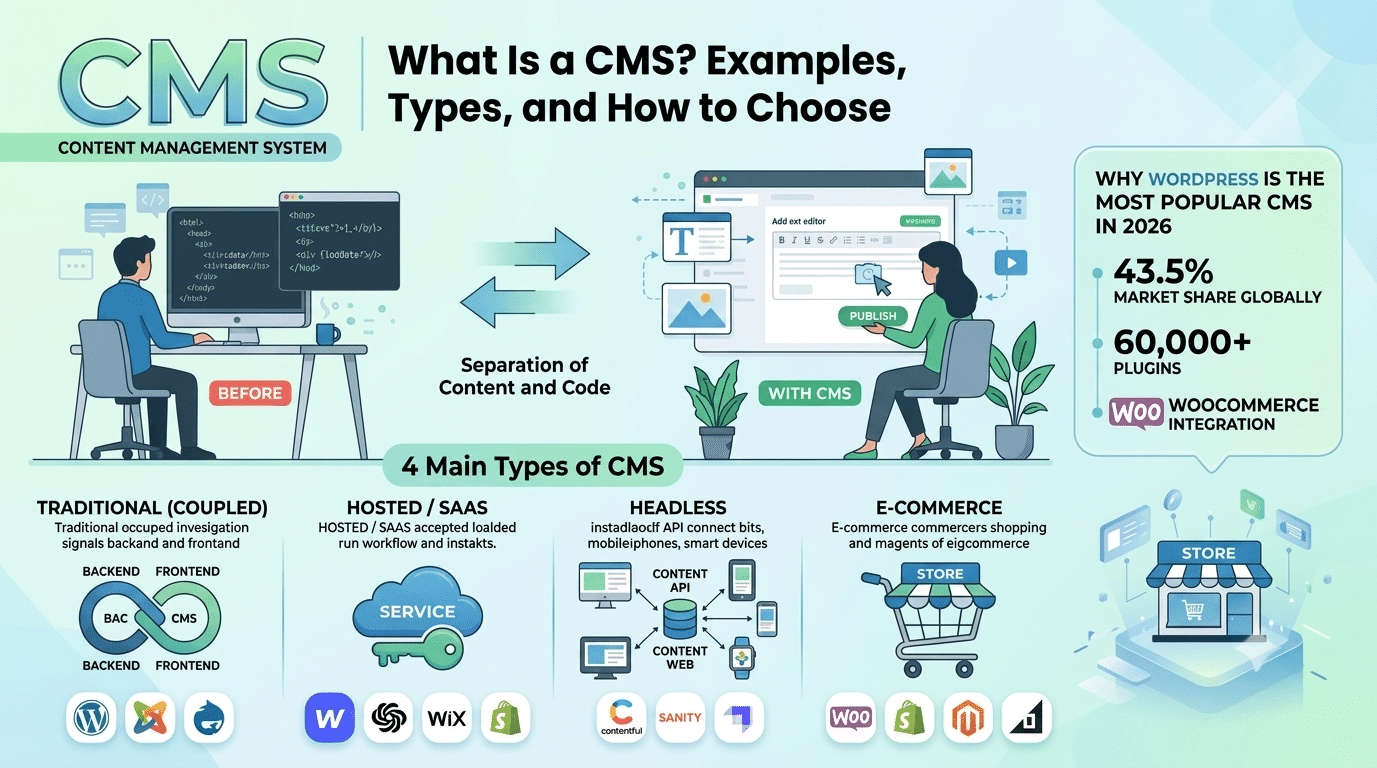
CMS stands for Content Management System — software that lets you create, manage, and publish digital content on a website without needing to write code. If you’ve ever posted a blog article, updated a product listing, or edited a page on your website through an admin panel, you’ve used one.
In 2026, website management platforms power the vast majority of websites on the internet. WordPress alone accounts for 43.5% of all websites globally. Understanding what a content management system is — and the different types available — is essential for anyone building or managing a website.
The Simple Definition
The 4 Main Types of CMS — With Examples
1. Traditional (Coupled) CMS
| Platform | Market Share | Best For |
|---|---|---|
| WordPress | 43.5% | Business sites, blogs, WooCommerce stores, any website needing flexibility |
| Joomla | ~1.9% | Portals, intranets, community sites with complex user roles |
| Drupal | ~1.1% | Enterprise and government sites needing complex content architecture |
2. Hosted / SaaS CMS
| Platform | Monthly Cost | Best For |
|---|---|---|
| Webflow | $14–$212/mo | Design-led brochure sites and portfolios |
| Squarespace | $16–$65/mo | Simple personal and small business sites |
| Wix | $17–$159/mo | Solo practitioners and very small businesses |
| Shopify | $29–$299/mo | Dedicated e-commerce stores |
3. Headless CMS
A headless CMS separates content management from content delivery. Content is stored in the CMS and delivered via API to any front-end — a website, mobile app, digital signage, smart TV, or any other interface. Best for enterprise and multi-channel publishing.
| Platform | Best For |
|---|---|
| Contentful | Enterprise multi-channel content distribution |
| Sanity | Developer teams needing structured content APIs |
| Strapi | Open-source headless for developers |
4. E-Commerce CMS
An e-commerce is specifically designed for managing online stores — products, inventory, orders, and customers.
| Platform | Approach |
|---|---|
| WooCommerce | WordPress plugin — free, self-hosted, most flexible |
| Shopify | SaaS platform — easy setup, higher ongoing cost |
| Magento | Open source — powerful, complex, enterprise-grade |
| BigCommerce | SaaS — good for mid-market e-commerce |
Why WordPress Is the Most Popular CMS in 2026
WordPress is the world’s most widely used CMS because it occupies the ideal middle ground: powerful enough for complex business websites and e-commerce stores, simple enough for non-technical users to manage their own content with ease, and open source so it costs nothing to use — making it the go-to choice for millions of businesses, bloggers, and developers worldwide who value flexibility and full control over their digital presence.
- Powers 43.5% of all websites globally
- 60,000+ plugins extending its functionality
- Elementor Pro makes it visually comparable to Webflow
- WooCommerce makes it a full e-commerce platform
- Full data ownership — your content lives on your server
We Build WordPress CMS Websites for Businesses Worldwide
Hopeleaf Technologies specialises in WordPress — the world’s most powerful CMS. We configure your site so your team can manage content independently, without ever needing to call us for routine updates.
- Get a WordPress website → hopeleaftechnologies.com/contact-us/
We Build Every Site in Elementor Pro
Hopeleaf Technologies is a specialist Elementor agency — we design in Figma and build in Elementor Pro on WordPress. Fast, editable, and built to rank on Google.