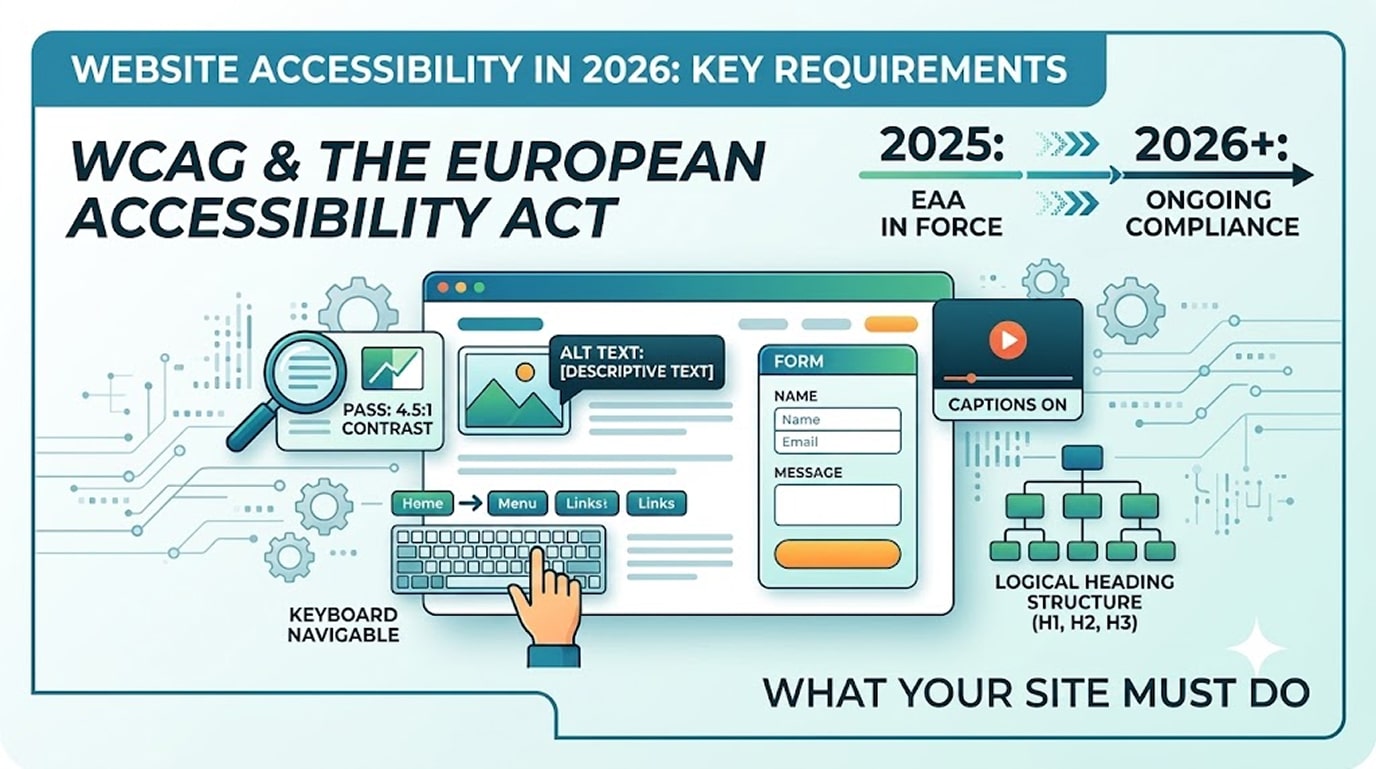
Website accessibility 2026 looks very different from a decade ago. It used to be treated as a nice-to-have. Now it’s a legal obligation in a growing list of markets, a ranking-adjacent quality signal, and — the part most businesses miss — a straightforward way to serve the roughly one in six people worldwide living with a significant disability.
If your website sells to customers in the EU or the US, this guide covers what the rules require, what WCAG actually means, and the practical fixes that bring a WordPress site into compliance.
Why Website Accessibility 2026 Became Urgent
The European Accessibility Act (EAA) came into force in June 2025. It requires businesses selling products or services to EU consumers — including e-commerce sites — to meet accessibility standards, regardless of where the business is based. Micro-enterprises have some exemptions, but if EU customers can buy from your site, the EAA likely applies to you.
In the US, ADA-based lawsuits over inaccessible websites continue in the thousands each year, hitting small businesses as often as large ones. Courts and the DOJ consistently point to WCAG as the reference standard.
Beyond legal risk: accessible sites are more usable for everyone, tend to perform better in search (clean structure, proper headings, alt text), and simply reach more customers.
What Is WCAG, and Why Does It Drive Website Accessibility 2026?
The Web Content Accessibility Guidelines (WCAG), maintained by the W3C, are the global standard for accessible websites. The widely required conformance level is WCAG 2.1/2.2 Level AA. The guidelines rest on four principles — content must be Perceivable, Operable, Understandable, and Robust (POUR).
In practice, Level AA means things like: sufficient colour contrast, keyboard-only navigation, text alternatives for images, properly labelled forms, captions for video, and a logical heading structure.
The 10 Most Common Website Accessibility 2026 Failures (and Fixes)
- Low colour contrast. Grey-on-white body text fails instantly. Fix: meet a 4.5:1 contrast ratio for normal text — free checkers make this a five-minute test.
- Missing image alt text. Screen readers skip or mangle unlabelled images. Fix: descriptive alt text on meaningful images; empty alt on decorative ones. WordPress makes this a field in the media library.
- Unlabelled form fields. Placeholder text is not a label. Fix: proper labels on every field — in Elementor forms this is a setting, not a rebuild.
- No keyboard navigation. Try tabbing through your site: can you reach every menu item, button, and form? Sliders and pop-ups are the usual culprits.
- Broken heading hierarchy. One H1 per page, H2s for sections, H3s inside them — no skipping levels for styling reasons. (This also directly helps SEO and AI search visibility.)
- Vague link text. “Click here” tells a screen-reader user nothing. Fix: descriptive links — “view our WooCommerce pricing.”
- Auto-playing media and motion. Provide pause controls and respect reduced-motion settings.
- Missing focus indicators. Keyboard users must be able to see where they are; don’t strip focus outlines in CSS.
- Inaccessible pop-ups. Modals must trap focus, close with Escape, and be announced to assistive tech.
- PDF-only information. Key information locked in scanned PDFs is invisible to many users; publish an HTML version.
Do Accessibility Overlay Widgets Work?
Short answer: no. The one-line “accessibility widget” scripts that promise instant compliance are widely criticised by accessibility experts, don’t fix underlying code, and have been named in lawsuits rather than preventing them. Real compliance lives in the site’s structure, not a floating toolbar.
How to Approach Compliance on WordPress
WordPress is one of the best platforms for accessibility — but only if the theme, builder settings, and content follow the rules. Our approach on client sites:
- Automated scan (tools like WAVE or Lighthouse) to catch the mechanical failures.
- Manual keyboard and screen-reader pass on key journeys — automated tools catch barely a third of real issues.
- Fix at the template level so every future page inherits the corrections.
- An accessibility statement page documenting your conformance level and contact route — expected under the EAA.
- Re-check after major design changes, because accessibility decays as sites evolve.
Frequently Asked Questions
Does the European Accessibility Act apply to my non-EU business?
If EU consumers can purchase your products or services through your site, very likely yes. The obligation follows the customer, not your office address.
What level of WCAG do I need?
WCAG 2.1/2.2 Level AA is the benchmark referenced by the EAA, ADA cases, and most public-sector rules worldwide.
How much does it cost to make a WordPress site accessible?
Remediating an existing small business site typically costs ₹20,000–₹80,000 depending on its condition. Building accessibility in from day one costs close to nothing extra — which is the strongest argument for doing it during a redesign.
Does accessibility help SEO?
Substantially. Alt text, heading hierarchy, descriptive links, and clean structure are shared foundations of accessibility, SEO, and AI-search visibility.
Not Sure Where Your Site Stands on Website Accessibility 2026?
We’ll run an accessibility review and give you a prioritised, no-jargon fix list.
- Request an Accessibility Review → hopeleaftechnologies.com/contact-us/
We Build Every Site in Elementor Pro
Hopeleaf Technologies is a specialist Elementor agency — we design in Figma and build in Elementor Pro on WordPress. Fast, editable, and built to rank on Google.