A WordPress Website Redesign isn’t a one-time project. It’s a living business asset that ages, accumulates technical debt, and eventually stops serving its original purpose. The question for most business owners isn’t whether to redesign, it’s when the right time is and what a proper redesign actually involves.
Having rebuilt dozens of WordPress website over nine years at Hopeleaf Technologies, we’ve seen every scenario: the site that needed a fresh coat of paint (quick), the site that needed a structural rebuild (complex), and the site that just needed a performance audit (no redesign required at all). This guide helps you diagnose your situation accurately.
7 Signs Your WordPress Website Needs a Redesign
| Sign | Severity | Action Needed |
|---|---|---|
| Design feels dated — >5 years old | Medium | Redesign or at least visual refresh |
| Failing Core Web Vitals on mobile | High | Performance audit first, then redesign if structural |
| Not ranking on Google at all | High | SEO audit — may not need redesign |
| Mobile experience is broken | Critical | Redesign or targeted Elementor mobile fix |
| Brand has changed since launch | High | Full redesign to align brand and site |
| Content is outdated / inaccurate | Medium | Content update — may not need redesign |
| No enquiries or conversions | Critical | Conversion audit, then possible redesign |
Redesign vs Rebuild — What's the Difference?
Redesign
A redesign changes the visual layer, new colours, new typography, new layout, new imagery, while keeping the existing WordPress Website installation, content, and URL structure largely intact. A redesign is appropriate when: the site’s structure and SEO foundation are sound but it looks dated, or the brand has changed and the site needs to reflect the new identity.
Rebuild
A rebuild creates a new WordPress Website installation from scratch, a new theme setup, a new Elementor build, a new plugin stack, and content migrated or rewritten. A rebuild is appropriate when: the existing site has accumulated significant technical debt (outdated plugins, security vulnerabilities, plugin conflicts), the URL structure needs to change, or the site was built on a poor foundation that can’t be cost-effectively fixed.
The WordPress Website Redesign Process — How We Do It
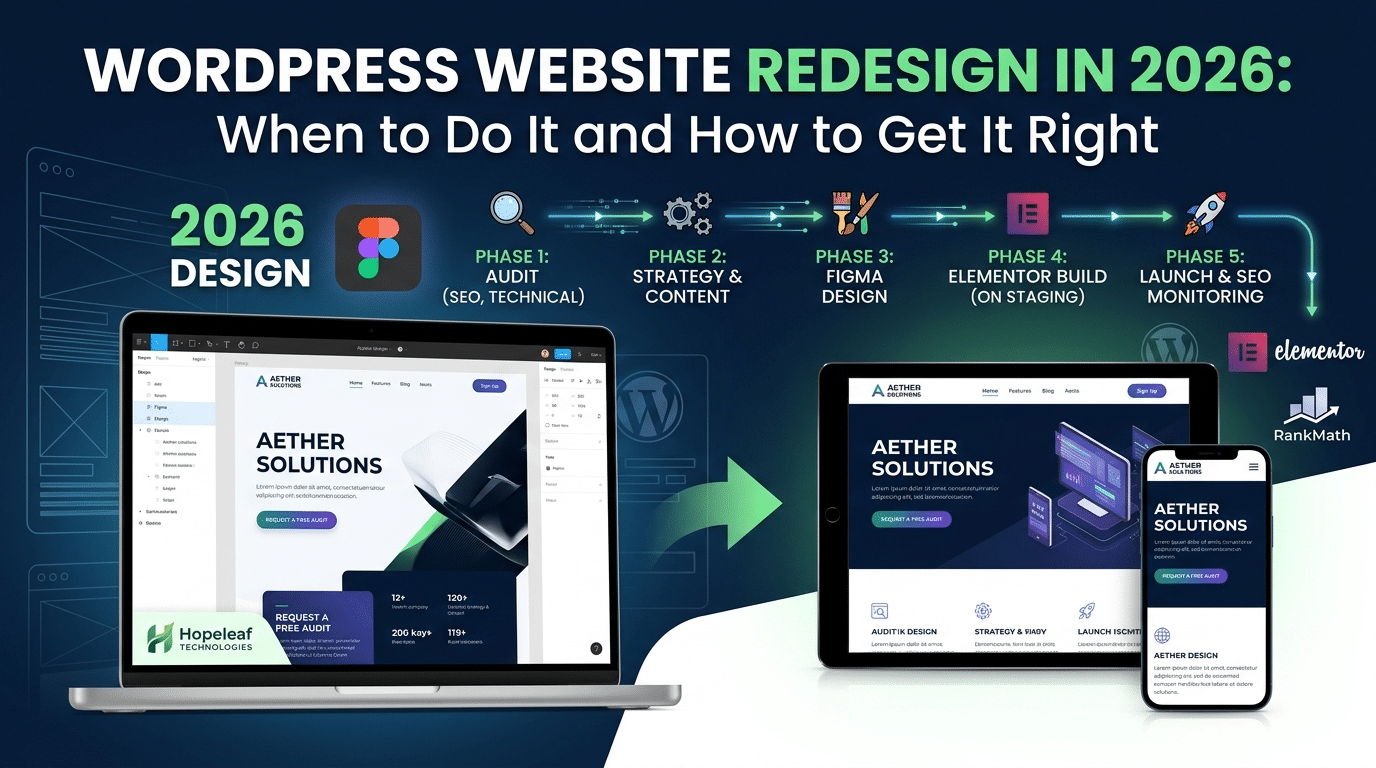
Phase 1 — Technical and SEO Audit
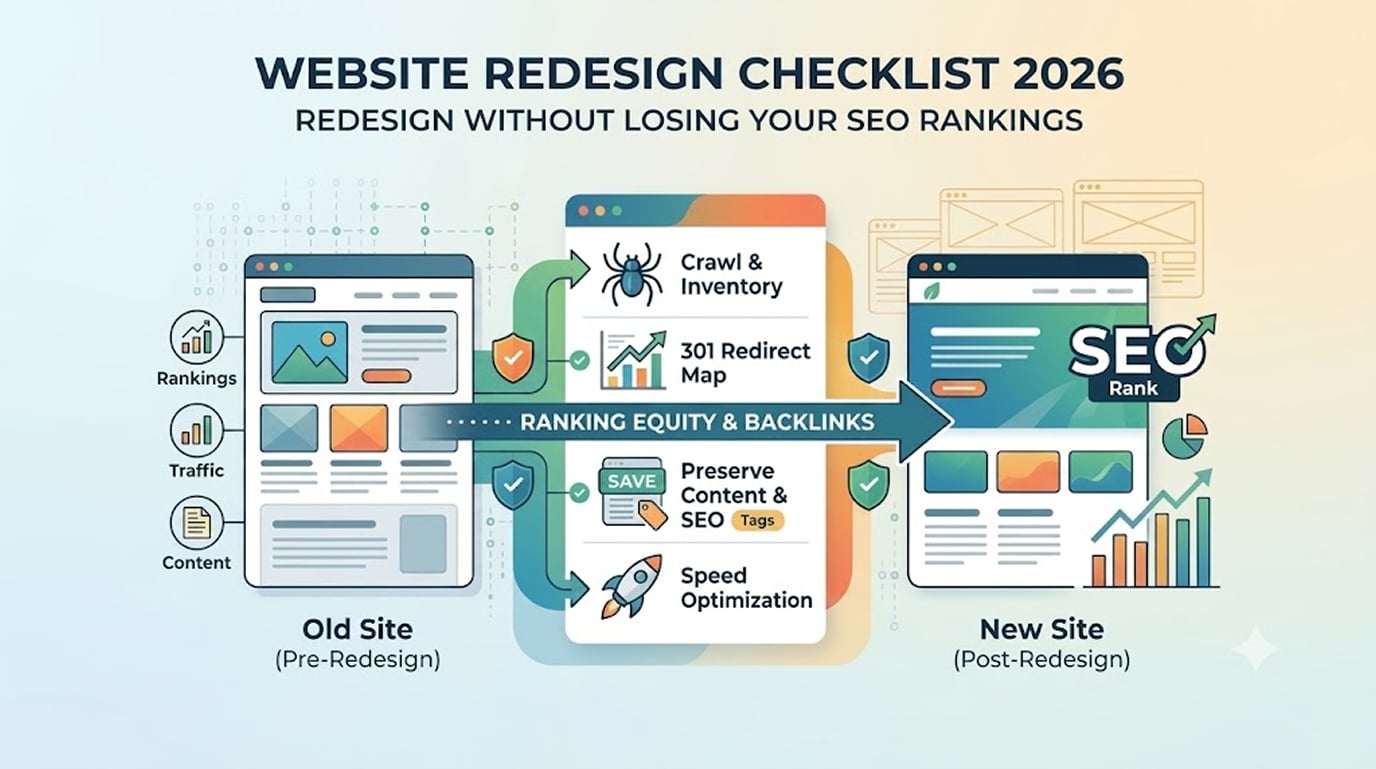
Before changing a single pixel, audit the existing site. What pages rank? What keywords bring traffic? What backlinks point to specific URLs? Changing URLs without 301 redirects destroys ranking history. A pre-redesign SEO audit protects the existing organic traffic that the business has built.
Phase 2 — Brand and Content Strategy
Define the visual direction before opening Figma. What has changed about the brand since the last site? Who is the target customer now? What action should the site prioritise? These questions determine the design direction, they can’t be answered in Elementor.
Phase 3 — Figma Design
Design every key page in Figma, homepage, about, service pages, contact, blog, before any Elementor work begins. The client sees and approves the complete visual design. Revisions happen in Figma, not in a live Elementor environment. This is the most efficient workflow.
Phase 4 — Elementor Build on Staging
Build the approved Figma designs in Elementor Pro on a staging server. Migrate existing content into the new layouts. Configure RankMath SEO for each page. Set up 301 redirects for any URL changes. Test thoroughly on desktop and mobile.
Phase 5 — Client Approval and Launch
Share the staging URL with the client for final review. After approval, migrate staging to live. Verify all 301 redirects are functioning. Submit the updated sitemap to Google Search Console. Monitor rankings over the following 4–6 weeks for any SEO impact.
How Much Does a WordPress Website Redesign Cost?
| Redesign Type | Approximate Cost (INR) | Timeline |
|---|---|---|
| Visual refresh (same structure) | ₹30,000–₹70,000 | 2–3 weeks |
| Full redesign (same content) | ₹75,000–₹1,75,000 | 4–6 weeks |
| Full rebuild (new content too) | ₹1,50,000–₹3,50,000 | 6–10 weeks |
| WooCommerce store redesign | ₹1,25,000–₹3,00,000 | 5–8 weeks |
- If you're unsure whether you need a redesign or just a performance fix, contact us for a free site audit. We'll tell you honestly which category your site falls into — and we won't recommend a rebuild if a targeted fix is all that's needed.
We Redesign WordPress Website — The Right Way
Hopeleaf Technologies redesigns WordPress Website and Elementor sites with a Figma-first process, SEO protection, and full migration on staging before go-live. Fixed-price proposals, 9+ years of experience.
- Get a free redesign consultation → hopeleaftechnologies.com/contact-us/
We Build Every Site in Elementor Pro
Hopeleaf Technologies is a specialist Elementor agency — we design in Figma and build in Elementor Pro on WordPress. Fast, editable, and built to rank on Google.